View the demo: a missing requirement check
← Back to the catalogueReady-made spreadsheet / Construction
Subcontractor Document & Payment Readiness OS
See what is missing before reviewing a payment
A ready-made spreadsheet for checking subcontractor documents: paperwork from companies hired to carry out part of a job. It compares the requirements you set with the checks recorded for each payment request and flags missing or expired items.
In plain language
What is it?
A ready-made spreadsheet for checking subcontractor documents: paperwork from companies hired to carry out part of a job.
What is it for?
It compares the requirements you set with the checks recorded for each payment request and flags missing or expired items.
A concrete example
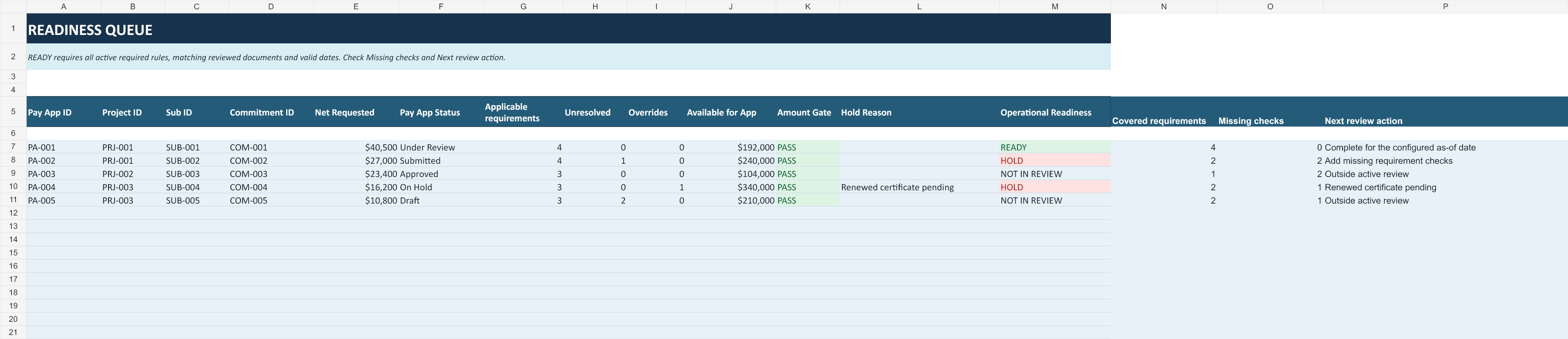
For a payment request under review, you have configured four mandatory requirements: if a check is missing, the request is marked for hold and review. The file uses the data you enter; it does not read document contents or authorise payments.
Illustrative example: not a customer case or a promise of results.
01 / REQUIREMENTS
Format and compatibility
Version 1.1 verified in LibreOffice Calc 26.2.5.2 Windows. Desktop/web Excel, Google Sheets and mobile not verified.
02 / GOOD TO KNOW
One tool, one purpose.
Review remains human: the spreadsheet does not certify documents or determine entitlement to payment.
A CLOSER LOOK AT THE WORKBOOK
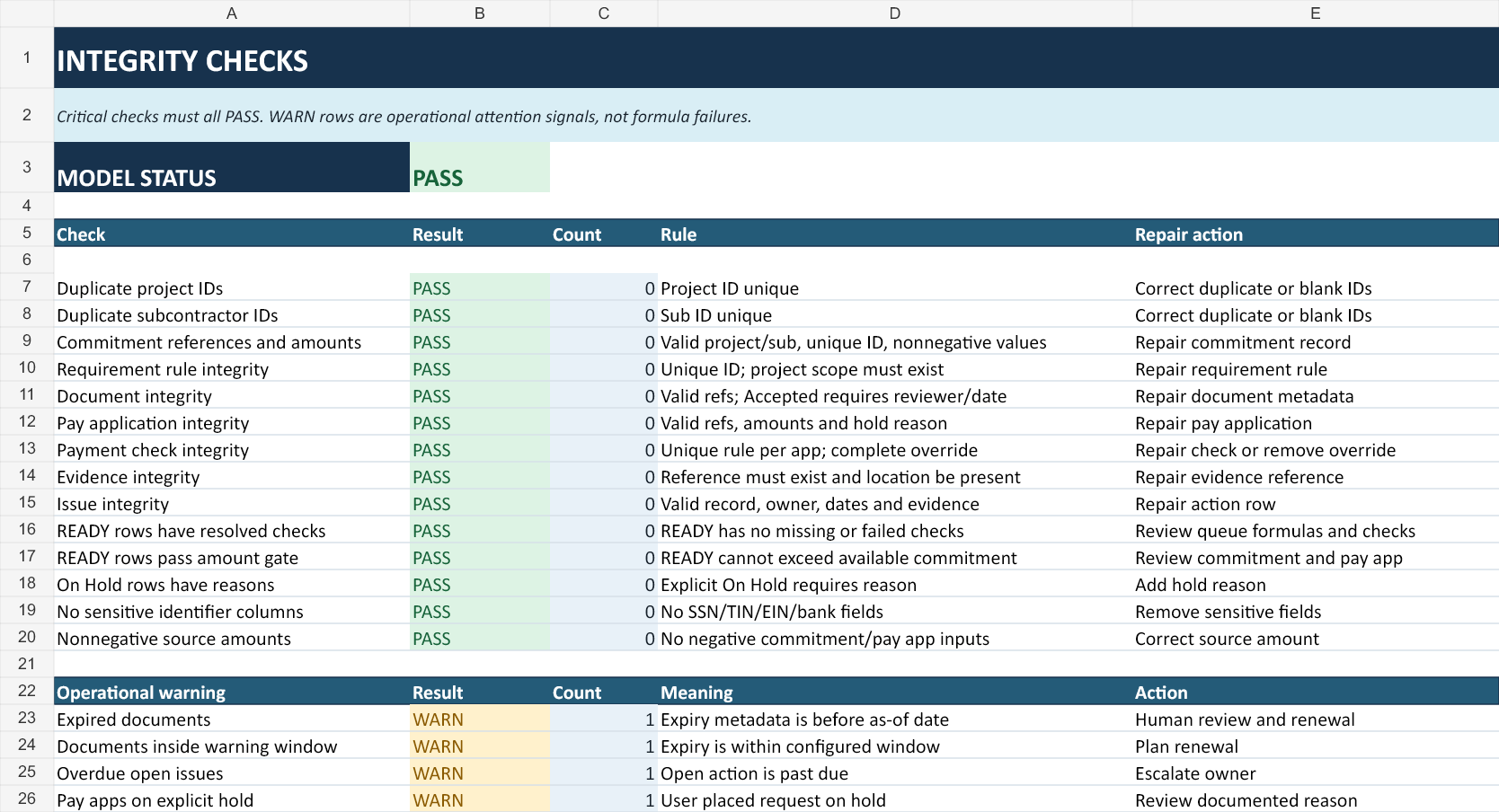
Actual screenshots. Version 1.1.
Not sure this tool is right for you?
Tell us what you want to organise.